How do I Cancel my subscription?
1. To cancel your subscription, please first make sure you're logged in to your account. Go to "Manage Account" on your dashboard in the upper right corner.

2. On the next page, click the "Subscription" tab.

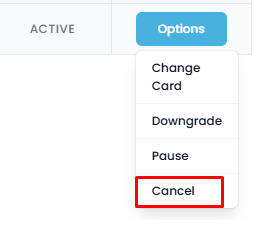
3. In the Active plan row, click the blue "Options" button, then select "Cancel" from the drop-down menu.